Keyword Research: How to Effectively Use This Powerful Feature
You can do keyword research directly in BrandWell.
Here's an overview:
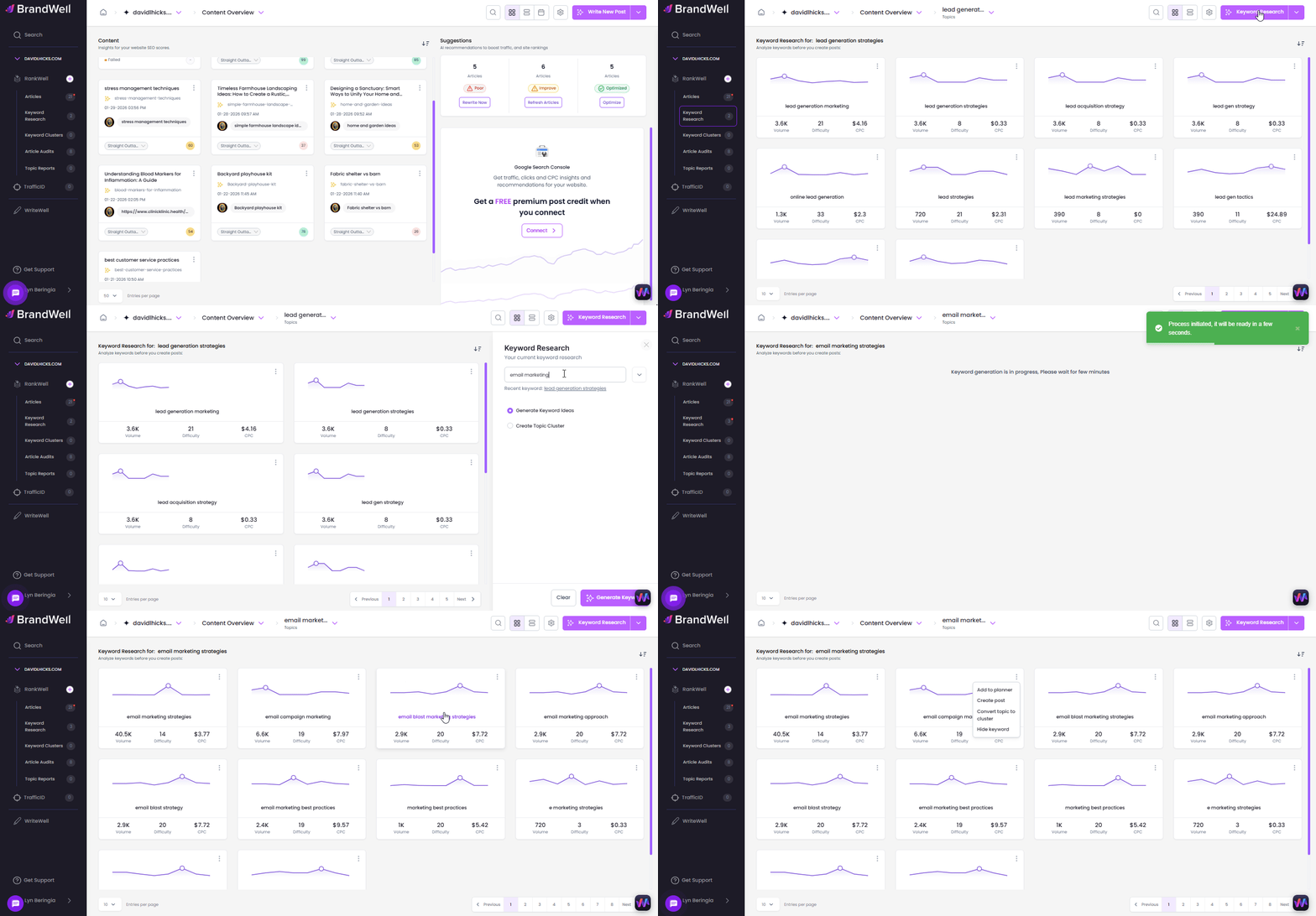
Here's a Step-by-step guide:
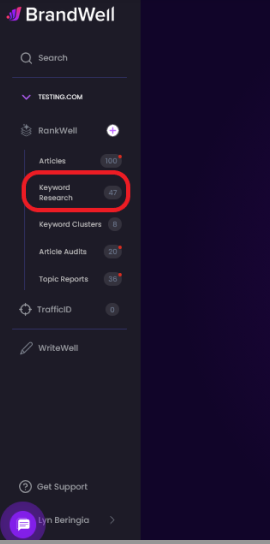
 Click "Keyword Research" from the left-side navigation menu.
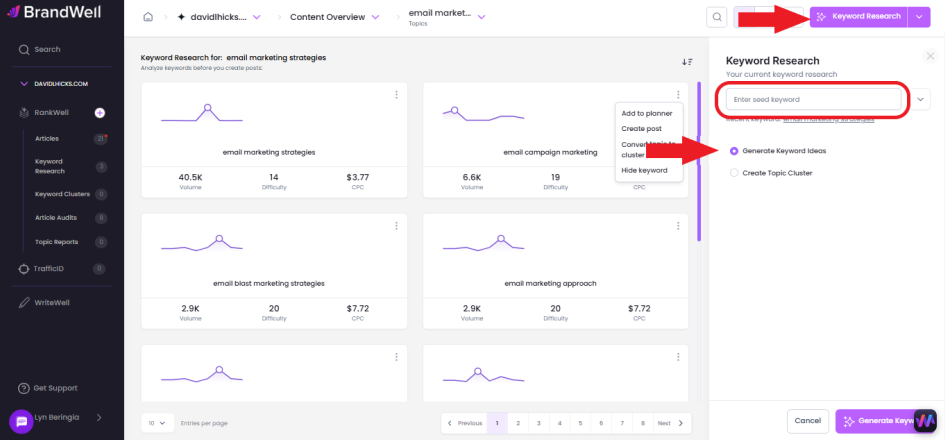
Click the Keyword Research button, enter your keyword, select Generate Keyword Ideas, and then click Generate Keyword.
From this, you'll get endless keyword opportunities and data. You can view monthly search volume, keyword difficulty, CPC (cost per click), and trends.
Here's what each of these means:
- Keywords - they keyword people are typing into search engines
- Monthly search volume - Approximate number of searches per month for the given keyword
- Ranking difficulty - How hard it will be to rank highly on search engines for the given keyword
- CPC - How expensive it would be to pay for a cost-per-click ad for the given keyword
- Trends - Monthly search volume for the most recent 12 months
- Actions - Choose what you'd like to do next. Save a keyword to your content planner, create a post, create a cluster, or hide the keyword (if it's not relevant to your niche).
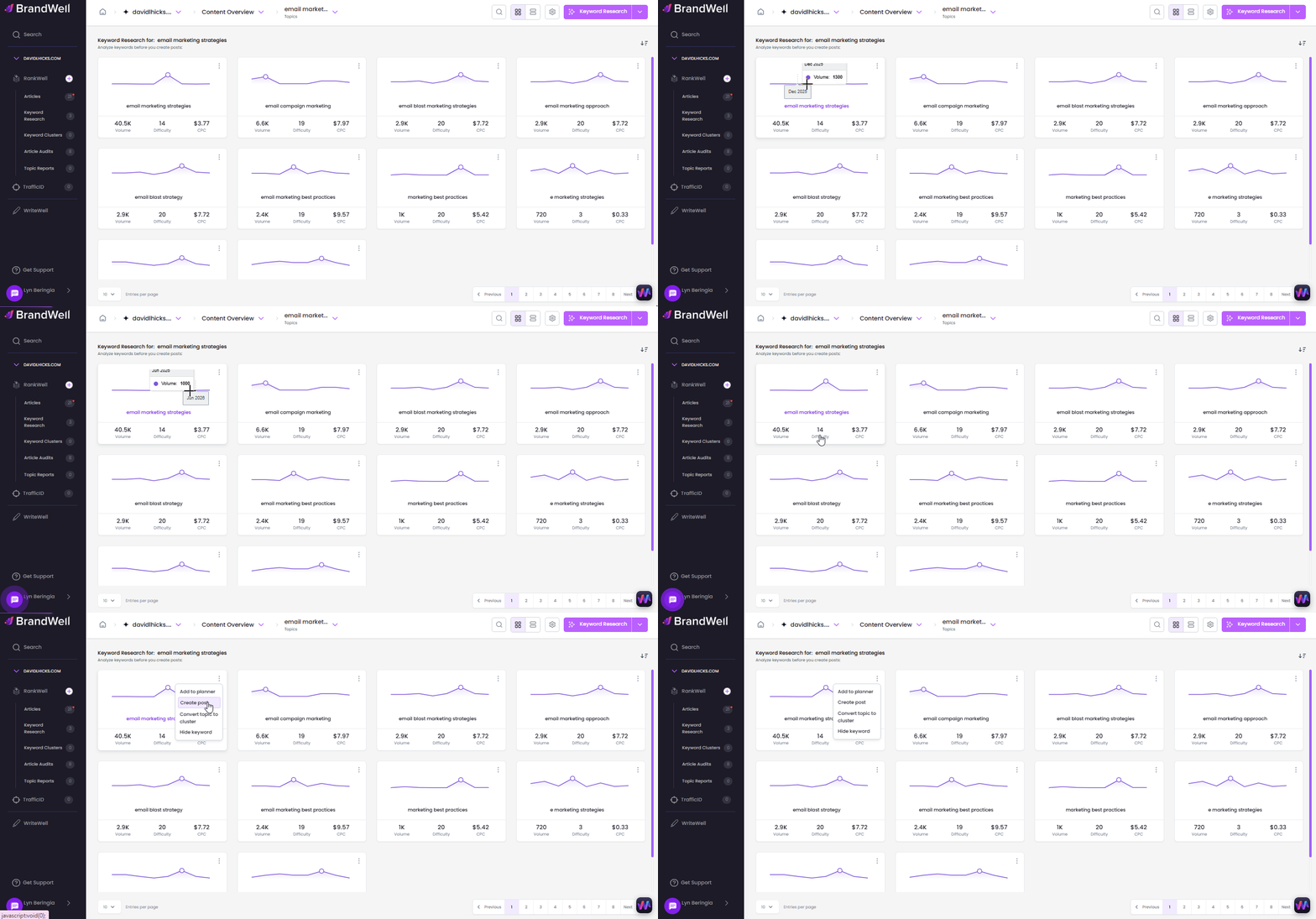
Ready to turn a keyword into a fully-optimized post?
Simply click the 3 buttons, then select "Create Post".
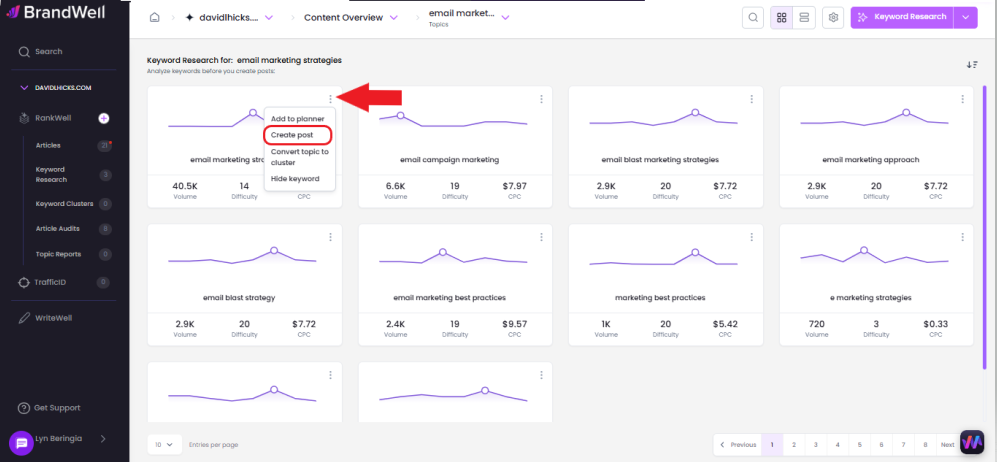
Your post will be ready in a few minutes!
Was this article helpful?
Still stuck?