How to Add Call to Actions
Discover how to add a Call to Actions to your content to enhance engagement and drive conversions.
This guide covers placing CTAs for maximum impact.
Here's how:
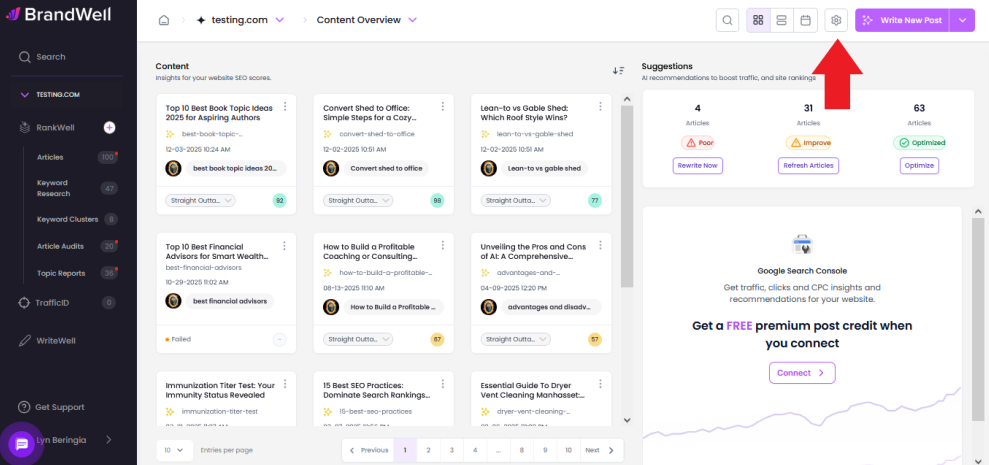
- Open the Project settings by clicking the "gear" icon.
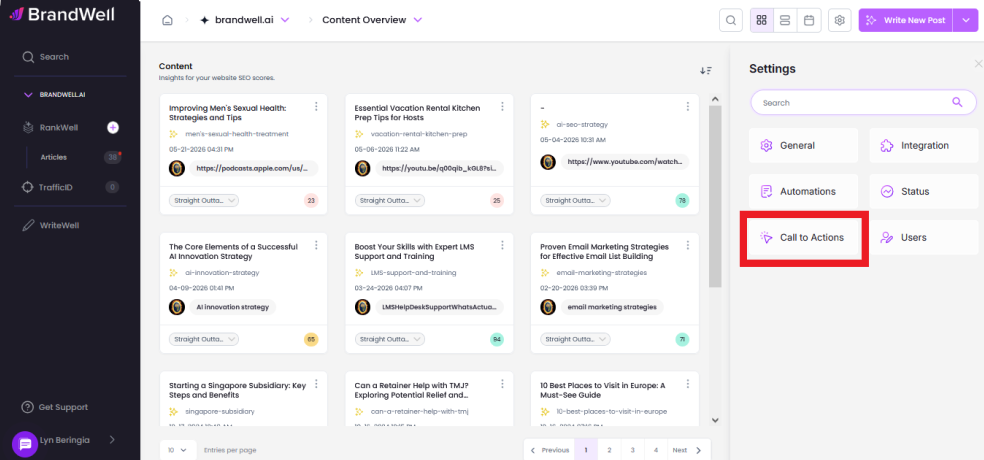
- Select "Call to Actions".
- Type or Paste your CTA in the box. You can add CTA "After every intro" or "After every conclusion" or BOTH.
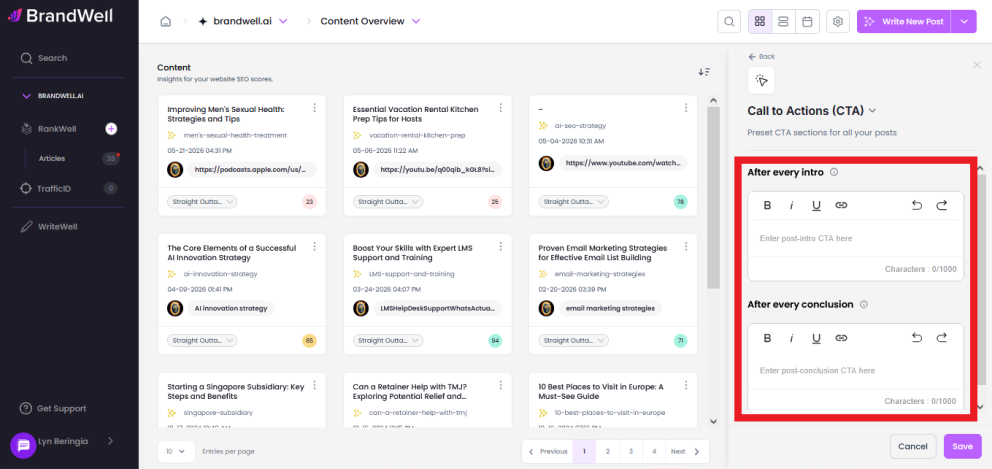
- Click "Save".
Please note: The app will evaluate your CTA to determine if it reads as human-written. If it’s detected as AI-generated, you’ll need to humanize your CTA using the in-app AI Detector and then try pasting the humanized updated version.
Was this article helpful?
Still stuck?