How to Move an Article from one Project to Another
Accidentally wrote a post under the wrong website?
No problem!
Follow these quick steps to move your article from one project to another.
 Open the post you want to move and click the 3 dots in the upper-right corner of your screen.
Click Move File.
A pop-up box will appear, asking you where you want to move your post. Select the project you want to move it to.
Click Yes, Move It!
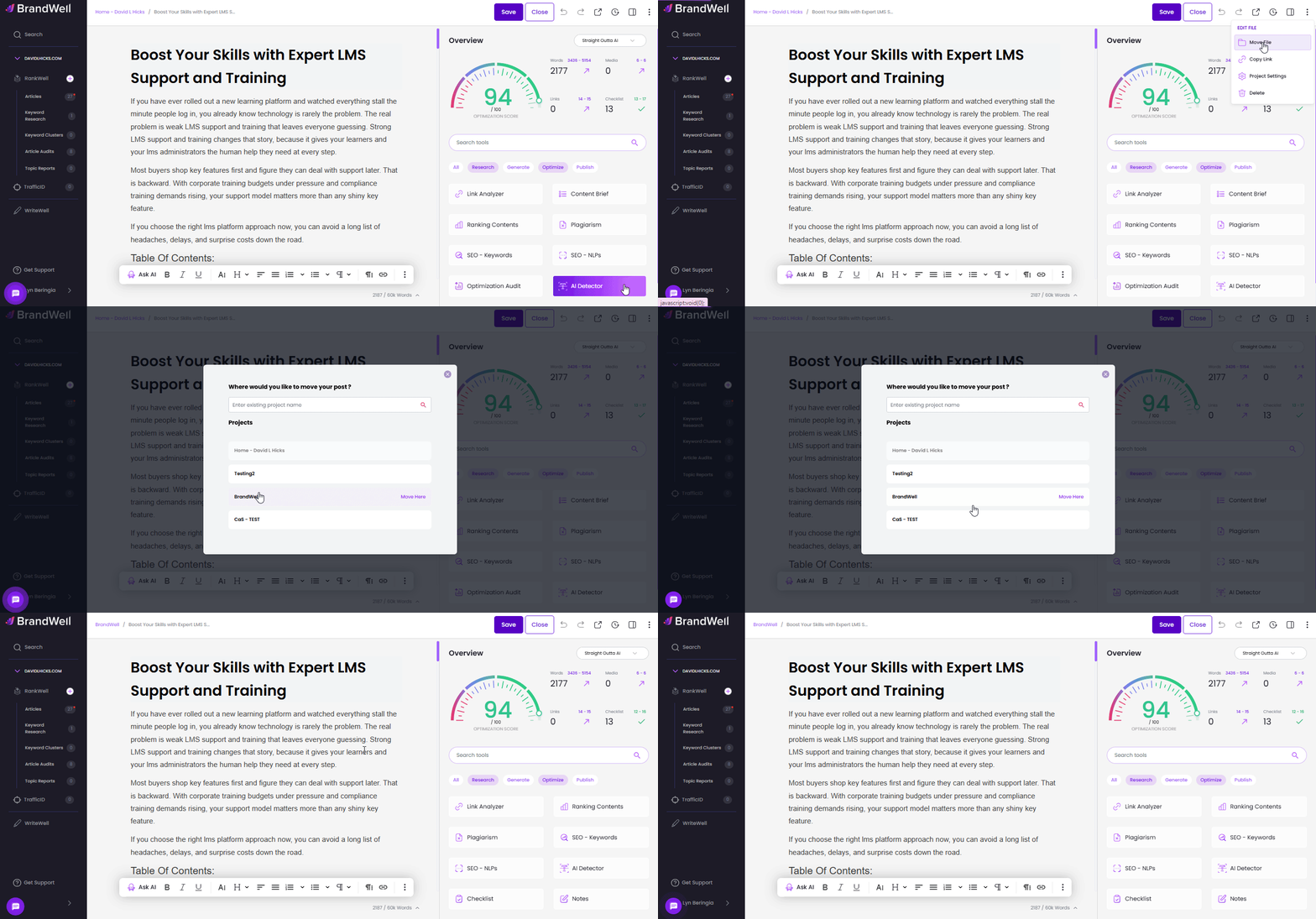
And you're done!
Was this article helpful?
Still stuck?