How to move articles from one project to another
Step-by-Step Guide: Moving Articles Between Projects
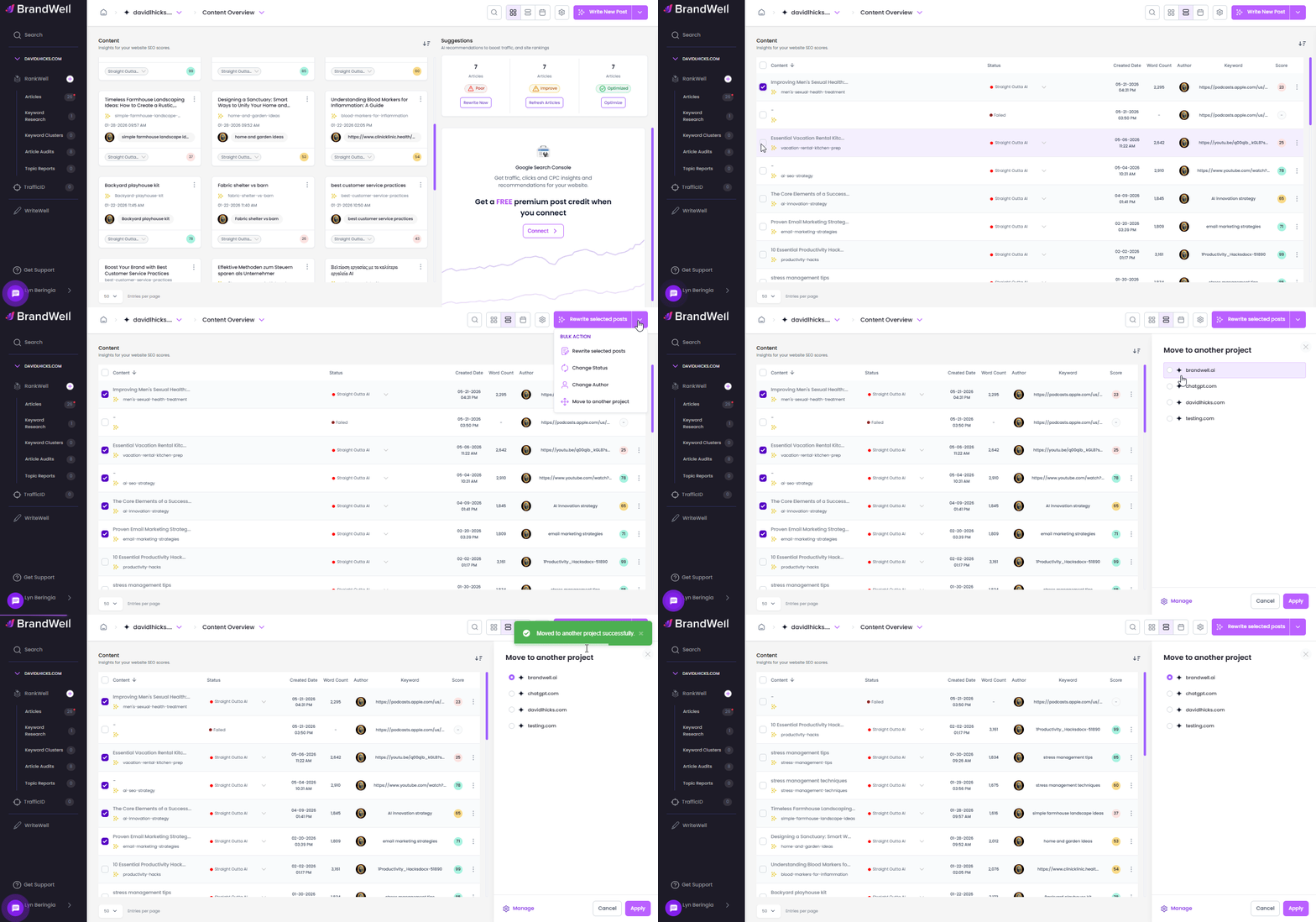
 To move articles (in bulk) from one project to another, follow these steps:
- Filter Articles by Status (Optional): If you want to move articles based on their post status, start by filtering them accordingly. Once filtered, switch to list view by clicking the two-bar icon.
- Select Articles: Choose the articles you want to move by selecting them individually, or select all to move them in bulk.
- Initiate the Move: In the top right corner, next to the "Write New Post" button, click the dropdown arrow and select "Move to Another Project."
- Choose the Destination Project: Select the project to which you want to move the articles and click "Apply."
Was this article helpful?
Still stuck?